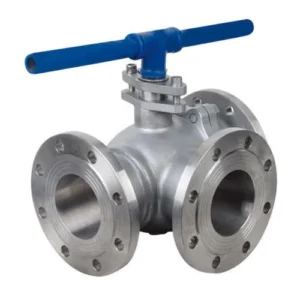
The Swimming Pool Filter Multiport Valve (MPV) is the single most important control device on your pool system. Often referred to as the “remote control” for your pool’s health, this pool filter valve positions diagram guide dictates where water flows—whether to the filter, back to the pool, or out to waste.

Mastering the correct use and timing of the seven MPV positions is essential for clear water, efficient operation, and avoiding costly damage.
⚠️ Pro Tip: Always Turn the Pump OFF!
Before you touch the lever on your multiport valve settings, you MUST turn the filter pump off. Changing positions while the pump is running can instantly damage the internal spider gasket, leading to leaks, mixed modes, and expensive repairs.
I. Detailed Breakdown of the 7 Key Multiport Valve Positions
Here is a comprehensive guide on what each position does and exactly when you should use it:
| Position | When to Use It | Action / Flow Path |
| 1. FILTER | The Normal Setting. Use this for 95% of the time when the pool pump is running. | Water is pushed down through the sand media, cleaned, and returned to the pool. |
| 2. BACKWASH | When the Pressure Rises. Use when the filter’s pressure gauge reads mathbf8 – mathbf10,mathbfPSI above the clean starting pressure. | Water flow is reversed (upward) to lift the sand, flushing trapped debris out to the waste line. |
| 3. RINSE | Immediately after BACKWASH. Use for 30-60 seconds only. | Cleans residual dirt and fine particles from the pipes and settles the sand bed before going back to the pool. |
| 4. WASTE | When Vacuuming Heavy Debris or if you need to lower the pool level. | Water bypasses the filter entirely and goes straight out to the waste line. |
| 5. RECIRCULATE | When Filtering is Impossible. Use if the filter media (sand) is compromised or being treated, but you still need to circulate water. | Water bypasses the filter tank and is sent directly back to the pool. |
| 6. CLOSED | When Performing Maintenance. Use when you are cleaning the pump basket, removing the filter lid, or performing service. | Shuts off flow to the filter entirely, isolating the system. Never run the pump on this setting. |
| 7. WINTERIZE | Seasonal Closing. (Only on some models). | Used to relieve pressure and slightly lift internal parts to prevent freeze damage during the winter months. |
II. The Essential 4-Step Backwash Cycle
The most common mistake pool owners make is not performing the necessary steps after a backwash. Follow this “Backwash Trilogy” sequence to keep your water crystal clear:
Prep: Turn the pump OFF. Move the handle to the BACKWASH position.
Wash: Turn the pump ON. Backwash for mathbf1 – mathbf3 minutes or until the sight glass runs clear. Turn the pump OFF.
Rinse: Move the handle to the RINSE position. Turn the pump ON. Run for mathbf30 seconds. Turn the pump OFF.
Finish: Move the handle to the FILTER position. Turn the pump ON to resume normal operation.
III. Multiport Valve Troubleshooting FAQ
Q: Why is my water cloudy after backwashing? A: You likely skipped or cut short the RINSE step. If you go directly from BACKWASH to FILTER, dirty water trapped in the pipes goes straight back into your pool. Always check your pool filter valve diagram to ensure the Rinse path is followed.
Q: Why is my pump struggling even after a backwash? A: Check your spider gasket. If the gasket inside the multiport valve is worn, water can leak between ports (e.g., from Filter to Waste), causing low pressure and poor circulation.